Cluster onboarding
Connecting a cluster to Humanitec's Platform Orchestrator was a months-long, sales-assisted slog, and a research project for the customer. I led the journey mapping and service design and shaped the CLI with engineering: one run-once command that gets a customer onto their own infrastructure in an afternoon.
Months to try a product you might not buy
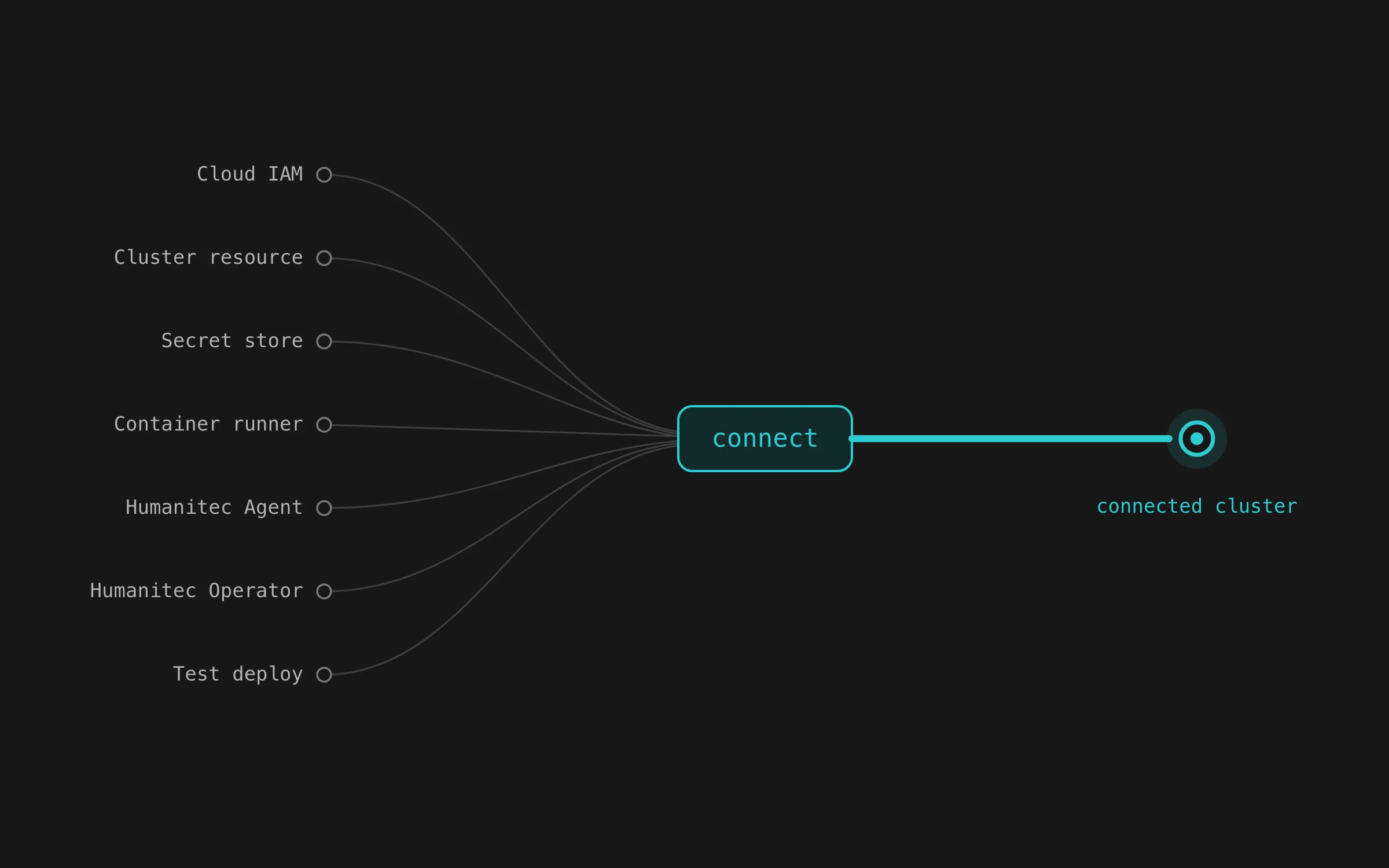
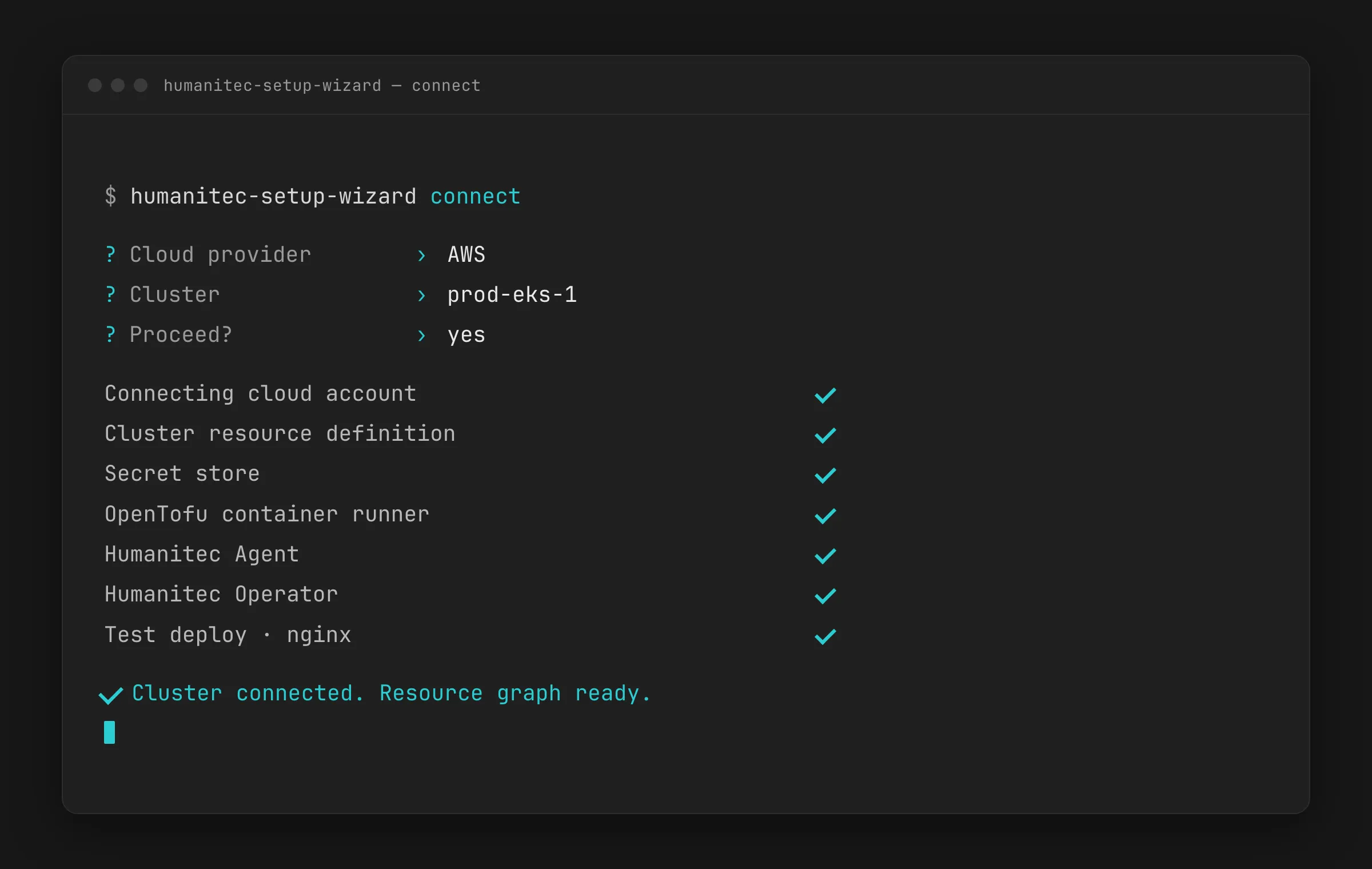
To put Humanitec’s Platform Orchestrator in front of a cluster, you first had to stand up seven separate things by hand: cloud IAM, a cluster resource definition, secret-store wiring, an OpenTofu container runner, the Humanitec Agent, the Operator, and a throwaway deploy to prove it worked. Slow, order-sensitive, and different on every cloud.
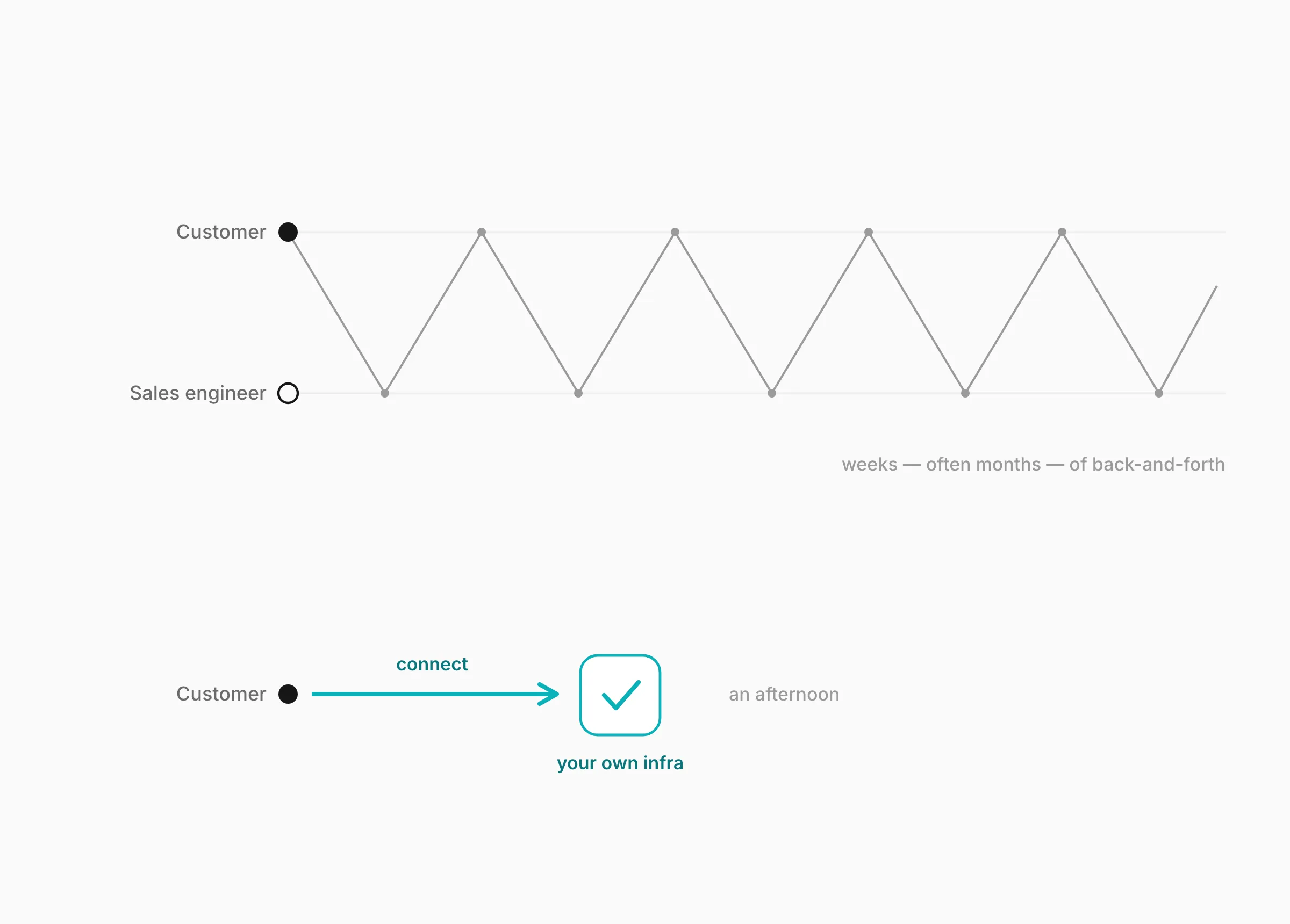
The pain internally showed up in sales, where getting a real cluster connected was so involved that trials ran for weeks, often months, of screen-shares and follow-ups with a sales engineer before anyone could try the product on infrastructure that was theirs.
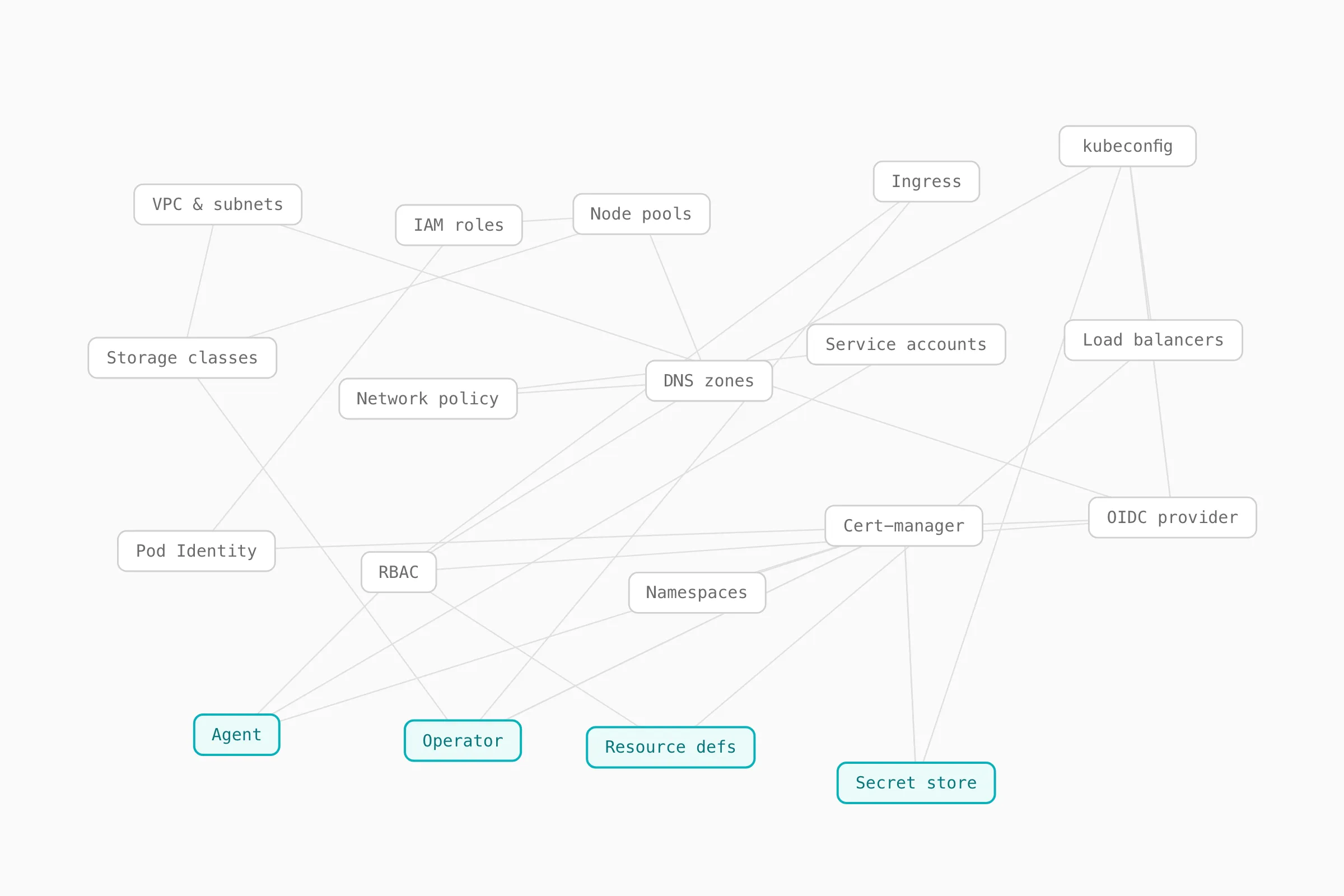
And it showed up on the first run, where before a customer could begin they had to do a small research project: understand their own infrastructure in detail, then learn what the Agent and the Operator were and how they fit.
The bet I lost
The engineering wasn’t especially thorny. Our lead engineer had the hard parts of the new CLI down in about three days, and the three clouds (AWS, GCP and Azure) mapped onto a shared set of identity and access primitives more cleanly and quickly than I’d imagined.
I wanted this guided, run-once flow to become the repeatable way the product imports any new infrastructure or developer option, not a parallel tool people touch once and forget. I made that case to the CTO and didn’t win it, on grounds of feasibility, and I took the point - the juice may never have been worth the squeeze.
Months become an afternoon
We watched it run live on sales calls, a real cluster connected with a prospect inside an hour where it used to take weeks of hand-holding, and self-serve customers genuinely used it on infrastructure that was theirs. Alongside some great technical writing changes, it helped shorten the path to a working trial by something close to an order of magnitude: from months of finagling to an afternoon of seeing how the Humanitec flow actually behaves in your cluster and how the provisioning flows would work for your developers.
One command, and the words on it
The tool became a single command. connect walks the operator through a few plain-language prompts (which cloud, which cluster, proceed?), provisions everything in dependency order, ticks each object off as it lands, and ends with a passing test deploy that proves the whole chain works. Working closely with the engineers, I helped shape its language down to three verbs: connect and clean read as a reversible pair (do it, undo it), and install-resource-pack is the one additive escape hatch, named for exactly what it adds.
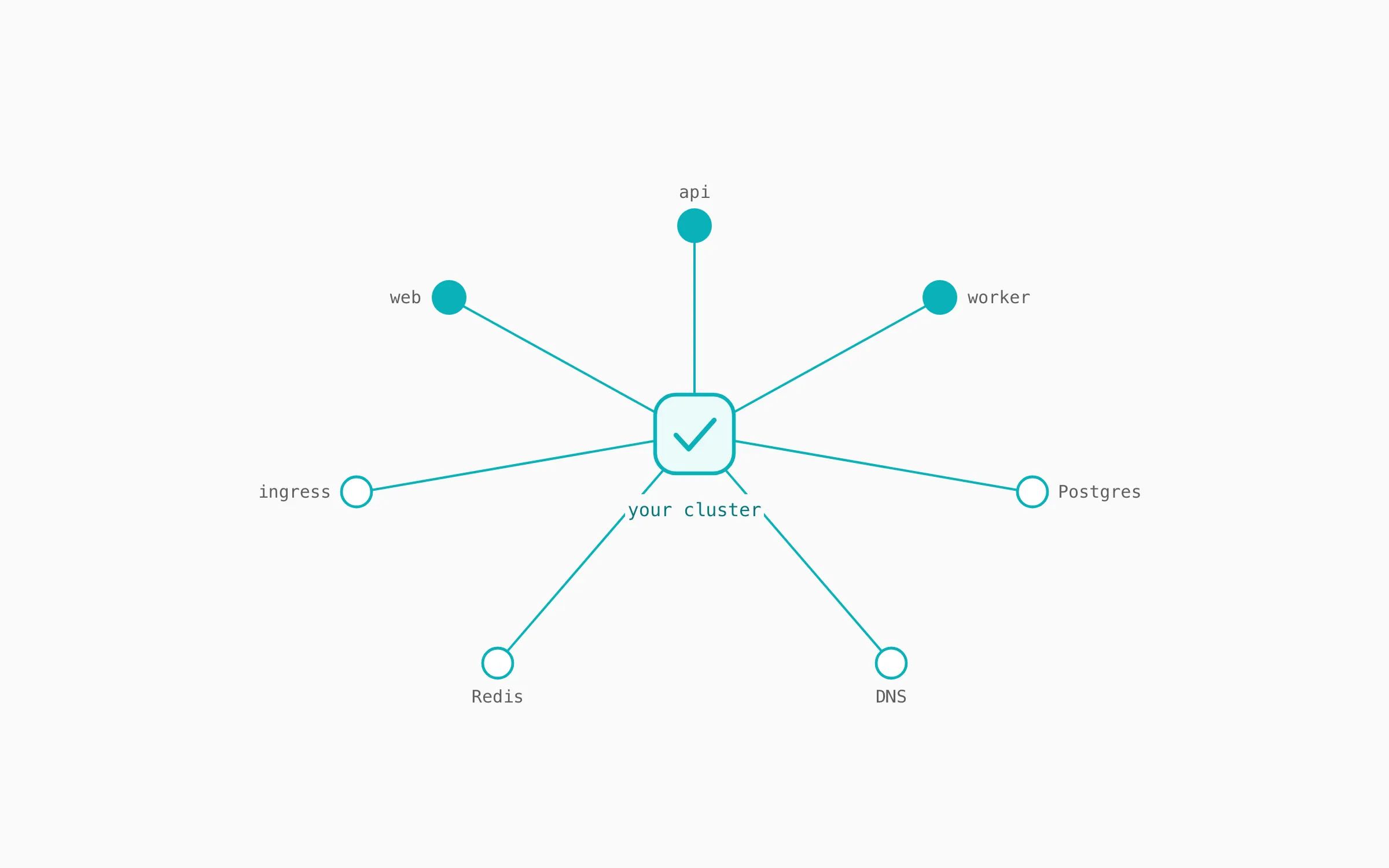
The same care went into the small words: prompts written as questions a person would actually ask, flags renamed away from internal jargon, sensible defaults so the common path stayed quiet. And the design is honest about its limits: a beta, run-once tool for a single operator with local state, the fastest way to start rather than a system for ongoing maintenance. Once you’re connected, the Orchestrator takes it from there (as well as our sales and support teams).
What was mine
I led the journey mapping and the service design, and shaped the CLI’s command surface (the verbs, the flag names, the prompt wording) jointly with engineering.
Tools: Figma, FigJam. Built in Go by the Humanitec team. Public repo: github.com/humanitec-architecture/setup-wizard.